

BY JAY EVANS
As independent filmmakers, whether seasoned or just starting out, we don’t always have handfuls of money at our disposal. Filmmaking on a budget is commonplace and although taking risks is normal, we all like to minimise the likelihood of losing money.
Something we can easily forget is the cost of post production.
After researching a few of the different editing software, suites, and bundles, I’ve made a list of the pros and cons to each of them, and hopefully it may be a little easier for you to find the right one to suit your needs.
I’ve listed the full prices for each and I’ve mentioned what sort of projects they’re suitable for. The more basic programs would only be recommended for short projects since anything longer than 10 – 15 minutes starts getting complicated and you need an organised layout with more specific features in order to keep track of everything)
(Disclaimer: this list is specifically for editing, I have not included much information about colour correction, 3D, animation or sound design, but a few of these do already include some or all of the above features.)
Adobe Premiere Pro
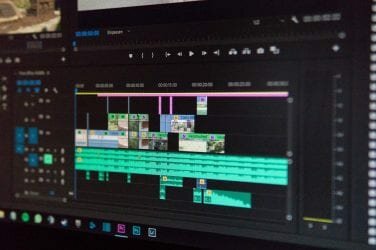
 Premier Pro is Included in the Adobe Creative Cloud, which comes with many other helpful tools including Photoshop, After Effects and a lot more. It’s my personal favourite and has many great features including colour correction and sound design within the program.
You can also find a plethora of tutorials on youtube if you’re looking for specific editing techniques. Another great feature is how it connects with other CC programs. It’s not free (like most programs) you pay for it with a monthly subscription.
Supported by: Mac, Windows
Great for: Short films, feature films, youtube, documentaries.
Price: $72.59 monthly for Entire Creative Cloud. Approx $30 monthly for Premiere Pro alone.
Adobe Premiere Elements
 This is the basic version of Premiere Pro. It’s better for beginners who are willing to invest a little bit of money. Premiere Pro is usually subscription based but Elements is a one time price of about $100.
It’s not super expensive but still an investment if there’s already other free versions of pretty much the same thing out there. Still, it’s a good system.
If you’re planning to professionally gain skills in editing then Elements is suitable for learning to use professional grade programs, which you can eventually upgrade to Premiere Pro.
I wouldn’t recommend using Elements for larger projects (anything more than 10 – 15 minutes long) since it was designed for users of little experience.
Supported by: Mac, Windows
Great for: Short films and youtube
Price: Around $100
Avid Pro
 Not as great for beginners, but has great features. Many feature films have been made using Avid and it’s mostly the standard program for television as well.
Since you can get a cheaper, more basic version called Avid Media Composer, which is more suitable for beginners, I’d say this is the best thing along with Premiere and Adobe Creative Cloud, as you can start out with the basic then eventually upgrade once you’re willing to make a bit more of an investment.
Supported by: Mac, Windows
Great for: Short films, Feature films, youtube, Documentaries
Price: Around $60 monthly
Avid Media Composer
 Cheaper version of Avid Pro with a few less features. It’s more suitable for beginners so since it’s cheaper it’s worth giving it a try. You can upgrade to Avid Pro once you’re more competent.
Supported by: Mac, Windows
Great for: Short films, youtube, short documentaries
Price: Around $27 monthly
Edius Pro
 I used Edius for a few years at a job I used to have and it was good for what we needed, meaning it was the program we used and we made it work, but since the layout was similar to other programs like Avid and Premiere it didn’t take long to adjust to them once we moved on.
There’s nothing wrong with edius compared to the others I mentioned, it just becomes a question of price and which plan suits you best.
Supported by: Mac, Windows
Great for: Short films, youtube, documentaries
Price: $650
Final Cut Pro X
 Completely different format to most other popular editing suites. If you are already familiar with others such as Premiere, Final Cut 7, Avid or Edius then it’s not recommended you invest in final cut X since it’s so different. It also can only be used on Mac computers.
If you do have a Mac and haven’t used any other editing programs (except for maybe iMovie), then it’s totally fine for beginners. If you like the general design of Macs then Final Cut X is not a bad option for you to consider.
There’s always an autosave feature so you never have to worry about losing any hard work if/when it crashes. Like any computer program it will take a short time to get used to but once you get the hang of it you’ll be fine.
I wouldn’t recommend Final Cut X for anything super complicated or professional because larger projects usually require multiple video and audio layers where you can drop and drag anything to anywhere.
Final Cut X does not allow for this to happen. There is one main video layer and everything else hangs off of that. (So, if you delete something then literally everything positioned after it moves down and fills in the space which can get frustrating.)
Supported by: Mac
Great for: Short films, youtube, short documentaries
Price: $500
Sony Vegas Pro
 I haven’t had much experience with Sony Vegas but the experience I did have wasn’t fun.
That being said, it was quite a few years ago and from what I hear they’ve improved quite significantly since then.
It’s best feature is the built-in audio editing. If it’s audio editing you want to focus on then this one might actually be good rather than Premiere or Avid, etc. (Their audio editing tools are still great but not as extensive as Sony Vegas Pro).
Although it is good enough for professionals it probably can still be used by beginners.
Supported by: Mac, Windows
Great for: Short films, youtube, Documentaries
Price: $21 monthly, $1100 for entire suite
Davinci Resolve
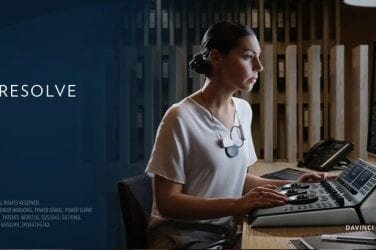
 I just started using this program and the great thing about it is, not only is there a free version, it uses a multi-window feature, which means the editing tab, colour tab, sound design tab are all next to each other in the same project.
Originally it was created for colour correction, and then evolved to include basically everything else. Most other editing programs come with their own colour correction features but Davinci Resolve is quite extensive for colour correcting since that’s what it was originally designed for.
There is a paid version, but the free option still works incredibly well if you want to use multiple programs in one.
Supported by: Mac, Windows
Great for: Short films, youtube, Documentaries (also great for colour correction).
Price: Free. Paid version is around $400
iMovie
 iMovie comes already installed on Macs so technically it’s free.
It’s great for beginners. It’s like a basic version of Final Cut X so once you’ve gotten the hang of it you could consider upgrading to Final Cut X.
However, if it’s professional editing you’d like to get into in the future, then I would consider starting out with one of the other free versions because the iMovie layout is quite different to most other editing programs and it was never designed to create the next Die Hard.
If you’ve already spent time learning this style of editing you’ll basically have to realign your brain and start again if you want to use other programs. If it’s just home movies you’re wanting to put together then iMovie works well.
Supported only by Mac
Great for: Home movies.
Price: Free
Shotcut
 Has many basic features of professional grade editing programs so it’s good for beginners if you’re not willing to pay.
Once you’ve gotten pretty confident with your editing skills then you should be able to manage upgrading from here to a paid program.
If you use a Linux based operating system then this is what sets it apart from the others, since most of them aren’t supported by Linux
Supported by: Mac, Windows, Linux
Great for: Short films, youtube
Price: Free
Hit Film Express
 Has many features of a professional grade program plus it’s free, but will take a long time to learn.
I wouldn’t necessarily recommend it to beginners since it’s slightly more complicated to learn, but it is free so although it may take a while to get the hang of you don’t have anything to lose (just time). You’d also need a good running system to be able to use it.
Supported by: Mac, Windows
Great for: Short films, youtube
Price: Free
Lightworks
 Comes with both free and paid versions and with most of the features of any other professional grade program.
Like Shotcut (and OpenShot below), Lightworks is supported by Linux so if that’s what you use then this is for you.
Supported by: Mac, Windows, Linux
Great for: Short films, youtube, Documentaries
Price: Between $25 monthly and $438 outright
OpenShot
 OpenShot is another suitable option if you use Linux, you’re just getting started and not willing/aren’t able to pay anything. It’s also basic but still has enough professional grade features so it’s good for beginners.
Supported by: Mac, Windows, Linux
Great for: Short films, youtube, short documentaries
Price: Free
Cyberlink Power Director
 Not free but cheaper than most other paid programs. (Around the same price as Premiere Elements) Like Davinci Resolve, its best feature is colour correction.
With this one, like some of the others, it might just be more of a question of price – depending on what you’re willing to spend since the layout is similar to the others around the same price.
Only supported by Windows
Great for: Short films, youtube
Price: $250
Pinnacle Studio
 Like Cyberlink Power Director it’s not free but one of the cheapest options. Comes with a few cool features including royalty free music. The layout looks like it’s somewhere in between Premiere and Final Cut.
It seems to be quite basic, though, so in my opinion you may as well invest in one of the other free programs which you can eventually upgrade to the paid versions once you’ve gotten the hang of it.
Only supported by Windows
Great for: Short films, youtube, short documentaries
Price: Between $50 and $100
Hopefully you now have a better understanding of what you might need for whatever you’re doing.
Whatever you end up using, there’ll always be some time spent learning the program but eventually you’ll get the hang of it and from there you can only get more creative.